
01
Choose the profile grid shape
Use 3 columns and choose 1, 2, or 3 rows for a 3-part, 6-part, or 9-part reveal.
Instagram profile grids are taller now, so old square-only puzzle advice can crop the design. Use 3:4 tiles, check safe areas, and post the numbered files in order.
Instagram profile previews now use a taller rectangle instead of the old square-only grid. Regular feed posts still often use 1080 x 1350, but a profile puzzle grid should be planned around 1080 x 1440 per tile so the full image keeps a 3:4 shape on the profile.
Start with the final profile layout, then work backward into files you can post. That keeps the design useful instead of turning the page into another generic upload-and-download checklist.
Use 3 columns and choose 1, 2, or 3 rows for a 3-part, 6-part, or 9-part reveal.
Use 3240 x 1440 for 3 posts, 3240 x 2880 for 6 posts, or 3240 x 4320 for 9 posts.
Place faces, logos, handles, and small text inside safe margins before cutting the image.
Upload the full design, choose 3 columns and the matching row count, then download the numbered files.
Publish 01 first, then 02, 03, and so on. In a 9-part grid, the final profile reads 09, 08, 07 across the top row.
Instagram adds each new post to the front of your profile grid. That means the first file you publish becomes the last visible tile, and the last file you publish lands at the top-left.
Publish 01 first, then 02, then 03. The completed banner appears left to right after the third post is live.
Best for a simple launch banner or announcement strip.
Publish from 01 upward. The second row appears first, then the top row completes the profile image.
Best when a 3-post banner feels too shallow.
Post 01, 02, 03, then continue upward. The finished profile shows 09, 08, 07 across the top.
Best for a classic puzzle grid or portfolio reveal.
For profile-first grids, build the source image with 1080 x 1440 tiles. If each tile also needs to perform as a standalone feed post or carousel slide, compare it against the 1080 x 1350 crop before publishing.
3240 x 1440px
3240 x 2880px
3240 x 4320px
A 3:4 tile gives you more height, but it does not make every edge safe. Keep important content centered enough to survive profile previews, feed crops, and scheduler previews.
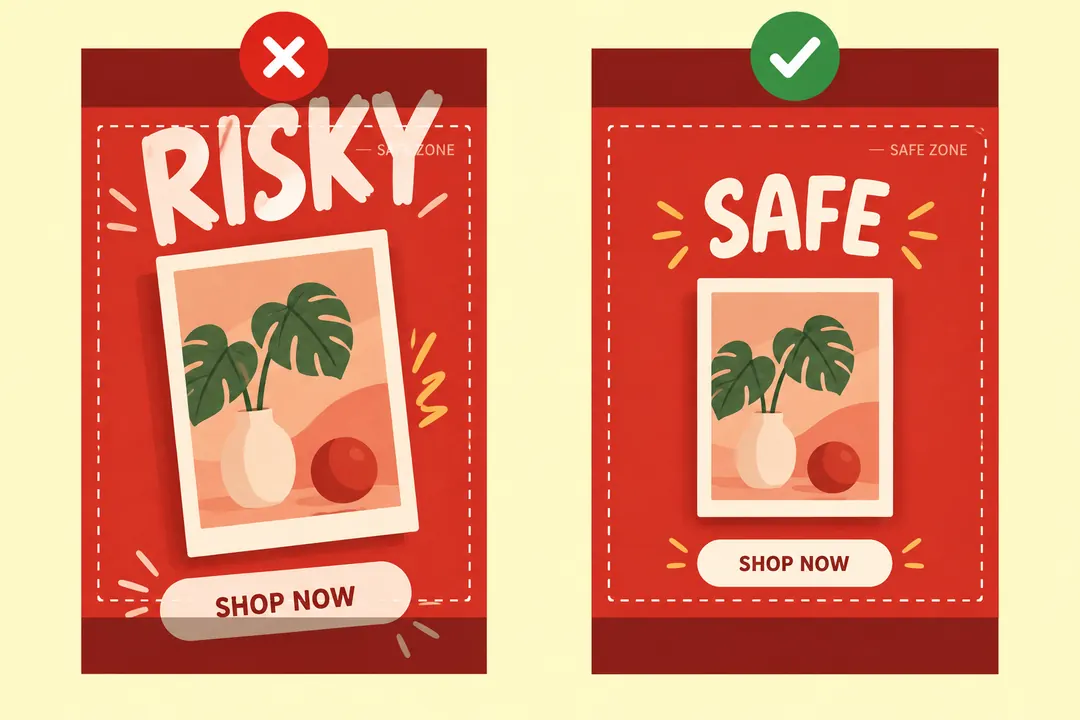
Avoid placing eyes, mouths, product names, or logos directly on a vertical or horizontal cut.
Large background shapes can cross tiles, but captions and small labels are easier to read when they stay inside one tile.
If the tile should also look good in the feed, preview how it behaves near 1080 x 1350 before posting.
Look at the grid as a full image and as separate posts. Fix tight margins in the full canvas, then split again.
Most problems are either order problems or crop problems. Fix the cause before adding more posts, because every new post changes the profile layout again.
Compare the profile against the expected order. For a 9-part grid, the top row should end as 09, 08, 07.
Instagram has rolled out profile grid reordering broadly, but availability can still vary. If the option is available, drag the misplaced post before deleting anything.
If text or faces are cut, adjust the full source canvas and export a new set of tiles instead of trying to resize single pieces.
Use 1080 x 1440 for profile-first puzzle grids. Use 1080 x 1350 when the individual post needs to be safest in the feed or in a carousel.
Post the numbered files from 01 upward. The last file you publish becomes the top-left tile on your profile.
Yes. 1080 x 1350 is still a strong default for feed posts and carousel covers. For a profile puzzle grid, 1080 x 1440 gives a closer 3:4 planning tile.
Yes. Keep the width at 3240px, then use 1440px height for one row, 2880px for two rows, or 4320px for three rows.
Yes. Design the full image in Canva, Figma, or any editor, then use a browser grid maker to split it into numbered files.